
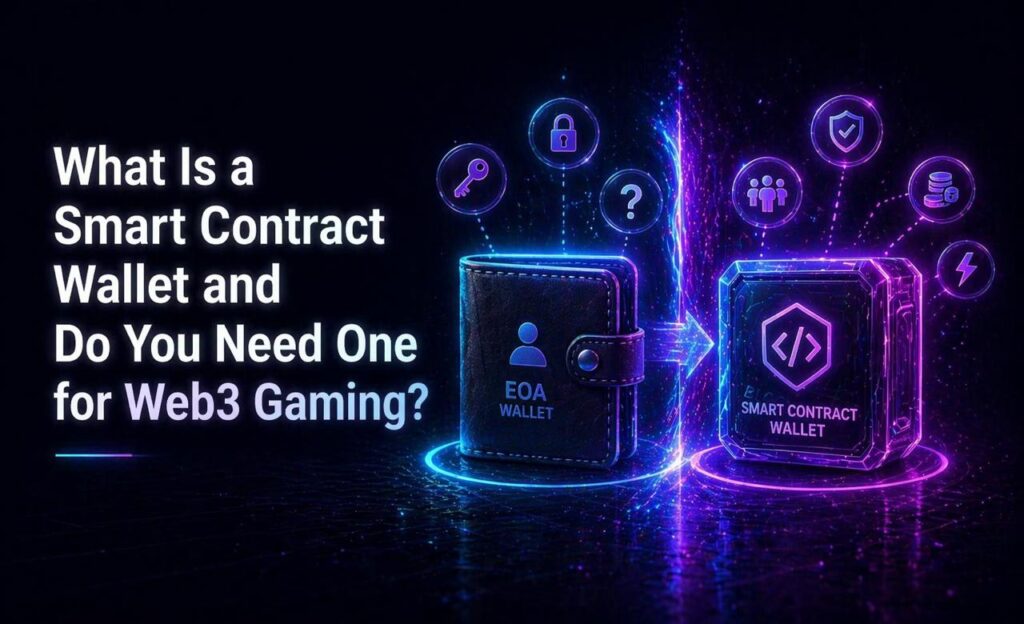
If you have spent any time researching Web3 gaming or crypto lotteries, you have probably come across the term smart contract wallet. It sounds technical, and in some ways it is. But the practical difference between a smart contract wallet and a regular crypto wallet matters for anyone who uses Web3 applications regularly.
This guide explains what smart contract wallets are, how they differ from standard wallets, and whether you actually need one to play on platforms like KachingVIP.
Two Types of Crypto Wallets
To understand smart contract wallets, you first need to understand the two main types of crypto accounts that exist on most blockchains.
The first type is called an Externally Owned Account, or EOA. This is what most people have when they set up a wallet like Phantom or MetaMask. An EOA is controlled by a private key, which is generated when you create the wallet. Whoever holds the private key controls the wallet. The seed phrase you are given when setting up a wallet is a human-readable version of that private key.
EOAs are simple and widely supported. Every DApp on every major network accepts them. But they have limitations. Every transaction must be manually approved. Fees must be paid in the network’s native token. If you lose your private key or seed phrase, the wallet and everything in it is gone permanently.
The second type is a smart contract wallet. Instead of being controlled by a single private key, a smart contract wallet is controlled by code deployed on the blockchain. The rules for how the wallet operates, who can authorize transactions, under what conditions funds can move, are all defined in that code.
What Smart Contract Wallets Can Do That EOAs Cannot
The programmability of smart contract wallets enables features that are simply not possible with a standard EOA.
Social recovery. If you lose access to a smart contract wallet, you can designate trusted contacts who can help you recover it. No seed phrase memorization required. This removes one of the biggest risks in crypto — permanent loss of access due to a forgotten or compromised key.
Gas fee flexibility. Standard wallets require you to hold the network’s native token to pay transaction fees. Smart contract wallets can be configured to pay fees in other tokens, or to have fees sponsored by a third party such as the application you are using.
Transaction batching. With a standard wallet, every action requires a separate approval. Smart contract wallets can bundle multiple actions into a single transaction, reducing friction and cost for complex interactions.
Spending limits and automation. Smart contract wallets can be programmed with rules like daily spending limits, automatic recurring payments, or conditions that must be met before a transaction executes.
Do You Need a Smart Contract Wallet to Use KachingVIP?
No. KachingVIP works with standard EOA wallets including Phantom, MetaMask, Petra, Rabby, Keplr, OKX, Coinbase Wallet, and others. You do not need a smart contract wallet to buy tickets, enter draws, or claim prizes.
For most players, a standard wallet like Phantom is everything they need. It connects to the platform, approves ticket purchases, and receives USDC payouts. The experience is straightforward and requires no additional setup beyond installing the wallet and funding it with tokens.
Smart contract wallets become more relevant if you are a frequent Web3 user who wants features like social recovery, automated transactions, or fee flexibility. For occasional lottery participation, they offer no meaningful advantage over a standard wallet.
The KGeN Wallet: A Gasless Option on KachingVIP
KachingVIP supports KGeN, a wallet that operates as a gasless option for users on the platform. With a gasless wallet, the gas fee is included in the net value of your transaction rather than being charged separately in the network’s native token.
This removes one of the common friction points for new crypto users — the requirement to hold a specific token just to pay for transactions. If you are new to crypto and want to minimize setup complexity, KGeN is worth considering as your starting wallet for KachingVIP.
Choosing the Right Wallet for Web3 Gaming
For most players getting started with Web3 gaming and lotteries, the practical advice is simple. Start with a widely supported standard wallet. Phantom is the most beginner-friendly option for Solana-based applications and is compatible with KachingVIP. MetaMask is the most widely used option overall and works across multiple networks.
As your Web3 activity grows and you start interacting with more applications, you may find the additional features of smart contract wallets worthwhile. Social recovery in particular becomes more valuable as the assets in your wallet grow. But for getting started, the additional complexity is not necessary.
What matters most is keeping your seed phrase secure, only connecting your wallet to reputable platforms, and understanding what you are approving before you sign any transaction. These habits matter far more than which wallet type you choose.
FAQs
1. What is the difference between a smart contract wallet and a regular wallet? A regular wallet is controlled by a private key. A smart contract wallet is controlled by code on the blockchain, which enables programmable features like social recovery, gas fee flexibility, and transaction batching that standard wallets cannot offer.
2. Do I need a smart contract wallet to use KachingVIP? No. KachingVIP supports standard wallets including Phantom, MetaMask, Petra, Rabby, Keplr, OKX, and Coinbase Wallet. A standard wallet is everything you need to buy tickets and claim prizes.
3. What is a gasless wallet? A gasless wallet handles network transaction fees differently, including them in the transaction cost rather than requiring you to hold a separate token for fees. KachingVIP supports KGeN as a gasless wallet option.
4. What happens if I lose access to my smart contract wallet? Smart contract wallets can be configured with social recovery, allowing designated contacts to help restore access. This is one of their key advantages over standard wallets, where losing the seed phrase means permanent loss of access.
5. Which wallet is best for a beginner using KachingVIP? Phantom is the most beginner-friendly option and is widely supported across Web3 applications. It is available as a browser extension and mobile app and connects to KachingVIP with a single click.